Link Analyzer Tool
What Is a Link Analyzer Tool?
A Link Analyzer Tool is a simple online tool. It scans a web page and lists every link on it. It shows you internal links, external links, and their anchor text. It also tells you if a link is dofollow or nofollow. You do not need any coding skills to use it. You just enter a URL and press a button.
Why Do You Need a Link Analyzer Tool?
Links are a big part of SEO. Google looks at your links to understand your website. A Link Analyzer Tool helps you check if your links are healthy. It helps you find weak spots before Google finds them. This saves your website from losing rankings.
You also save a lot of time. Checking links by hand takes hours. This tool does the same job in seconds. That is why bloggers, marketers, and website owners use it every day.
How Does a Link Analyzer Tool Work?
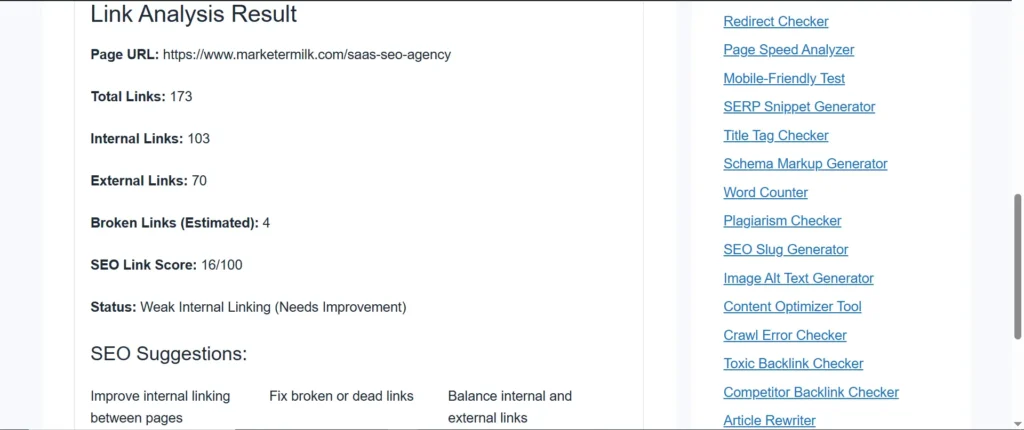
The process is very simple. You paste your web page URL into the tool. The tool then scans the full page code. It pulls out every link it finds. Then it sorts the links into clear groups.
You see internal links, external links, and anchor text in one clean list. This process takes only a few seconds. You do not have to wait long or refresh the page.
Try Other Free SEO Tools:
What Are Dofollow and Nofollow Links?
A dofollow link passes SEO value from one page to another. A nofollow link does not pass this value. Search engines still visit both types of links. But dofollow links help your rankings more.
A good Link Analyzer Tool shows you which links are dofollow and which are nofollow. This helps you plan your link strategy better.
Why Are Internal Links Important?
Internal links connect one page of your website to another page on the same website. They help visitors move around your site easily. They also help search engines understand your site structure.
A Link Analyzer Tool shows you how many internal links a page has. If a page has too few internal links, search engines may struggle to find it. This tool helps you fix that problem fast.
How Do External Links Help Your Website?
External links point from your page to another website. They add trust and proof to your content. When you link to strong, trusted sites, Google sees your page as more reliable.
The tool lists every external link on your page. You can then check if those links go to safe and trusted sites.
Can a Link Analyzer Tool Find Broken Links?
Yes, it can show you links that are not working the way they should. Broken links create a bad experience for visitors. They also send a bad signal to search engines. Fixing these links keeps your website clean and trustworthy.
Is This Link Analyzer Tool Free to Use?
Yes, this tool is completely free. You do not need to sign up or pay any money. You simply enter your URL and get instant results. This makes it a great choice for beginners and experts alike.
How Do You Use a Link Analyzer Tool?
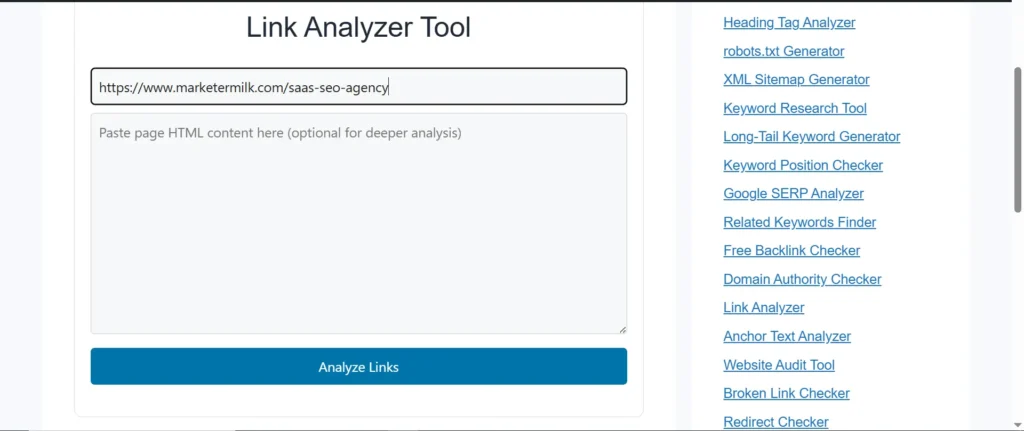
Using this tool is very easy. First, open the Link Analyzer Tool page. Next, type or paste your website URL into the search box. Then, click the analyze button. Finally, review the full list of links that appears on your screen. The whole process takes less than a minute.
Who Should Use a Link Analyzer Tool?
Bloggers use this tool to check their posts. SEO experts use it to audit client websites. Business owners use it to protect their online reputation. Students and beginners use it to learn how links work. Anyone who owns or manages a website can benefit from this tool.
FAQs
What does a Link Analyzer Tool do?
It scans a web page and lists all the links found on that page, including internal links, external links, and anchor text.
Is a Link Analyzer Tool good for SEO?
Yes, it helps you find weak or broken links and improve your link structure, which supports better search rankings.
Can I check any website with this tool?
Yes, you can enter any public URL and the tool will scan the links on that page.
Does the Link Analyzer Tool cost money?
No, the tool is free to use and does not require any signup.
What is the difference between internal and external links?
Internal links connect pages within the same website. External links connect your page to a different website.
How often should I use a Link Analyzer Tool?
It is a good habit to check your important pages once a month or after adding new content.
Can this tool detect nofollow links?
Yes, it shows you whether each link is dofollow or nofollow.